Node.js and Git Setup
Install Node.js (≥ 18) and Git on Windows / Mac / Linux
Overview
CLI-based AI coding tools such as Claude Code and Codex CLI both require Node.js 18+ and Git. This guide walks through the installation steps for Windows, Mac, and Linux.
Installation
Windows
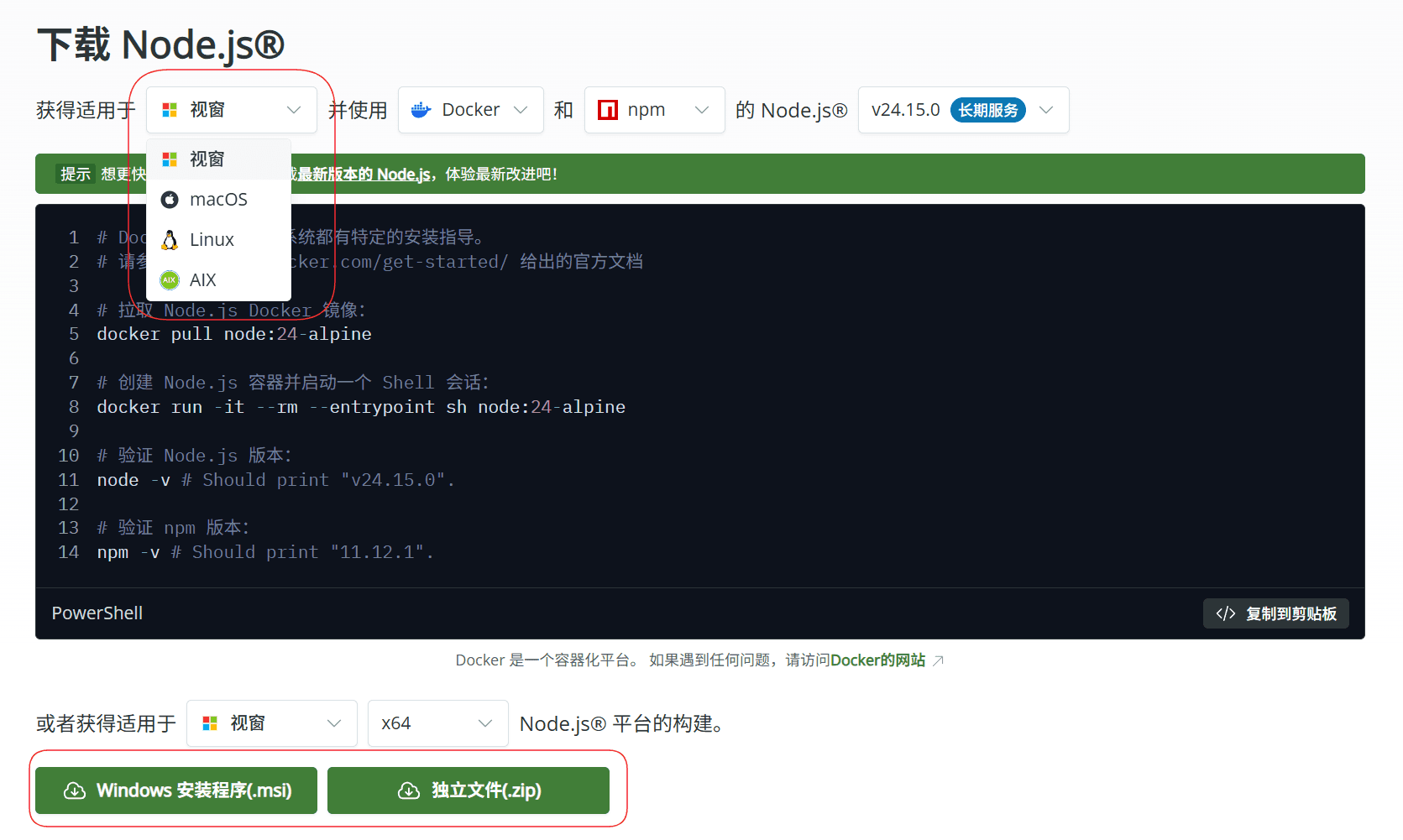
Node.js: visit the Node.js website and download the LTS .msi installer. Double-click and accept the wizard defaults.

Git: visit the Git website and download the installer.
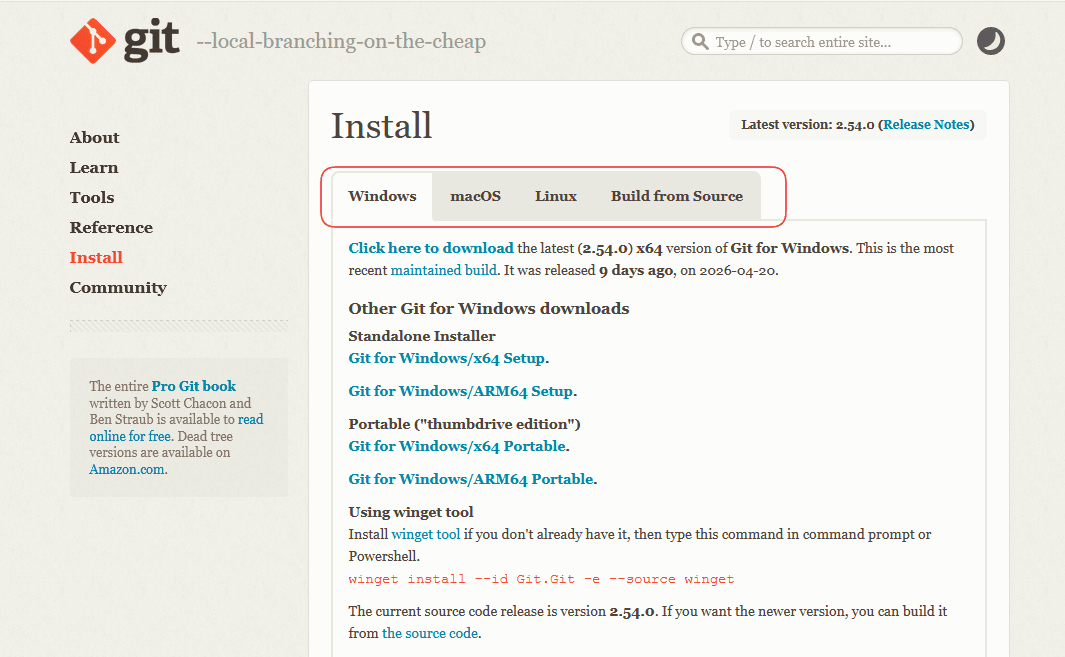
Double-click and accept the wizard defaults.
Mac
Homebrew is the recommended one-liner. If Homebrew is not yet installed, run:
/bin/bash -c "$(curl -fsSL https://raw.githubusercontent.com/Homebrew/install/HEAD/install.sh)"Then install Node and Git together:
brew install node gitAlternatively, grab the .pkg from the Node.js website. macOS usually ships with Git; the first time you run git --version, a prompt to install "Command Line Developer Tools" may appear — just click Install.
Linux
Use nvm for Node.js (easy multi-version switching, and many distro repos ship outdated Node versions):
curl -o- https://raw.githubusercontent.com/nvm-sh/nvm/v0.40.1/install.sh | bash
source ~/.bashrc
nvm install --lts
Install Git via your distro's package manager:
# Ubuntu / Debian
sudo apt install -y git

# CentOS / RHEL / Fedora
sudo dnf install -y git

# Arch Linux
sudo pacman -S git
Verify
Run on any platform:
node -v
npm -v
git --version
If all three print version numbers, you're set.