Sign Up, API Key & Top-up
Complete walkthrough — register, get your API/URL and token, and fund your account
Register
Visit the official site: code.b886.top.
Two sign-in methods are currently supported: LinuxDo single sign-on and email registration.
Email domains accepted for registration: edu.cn gmail.com 163.com 126.com qq.com.
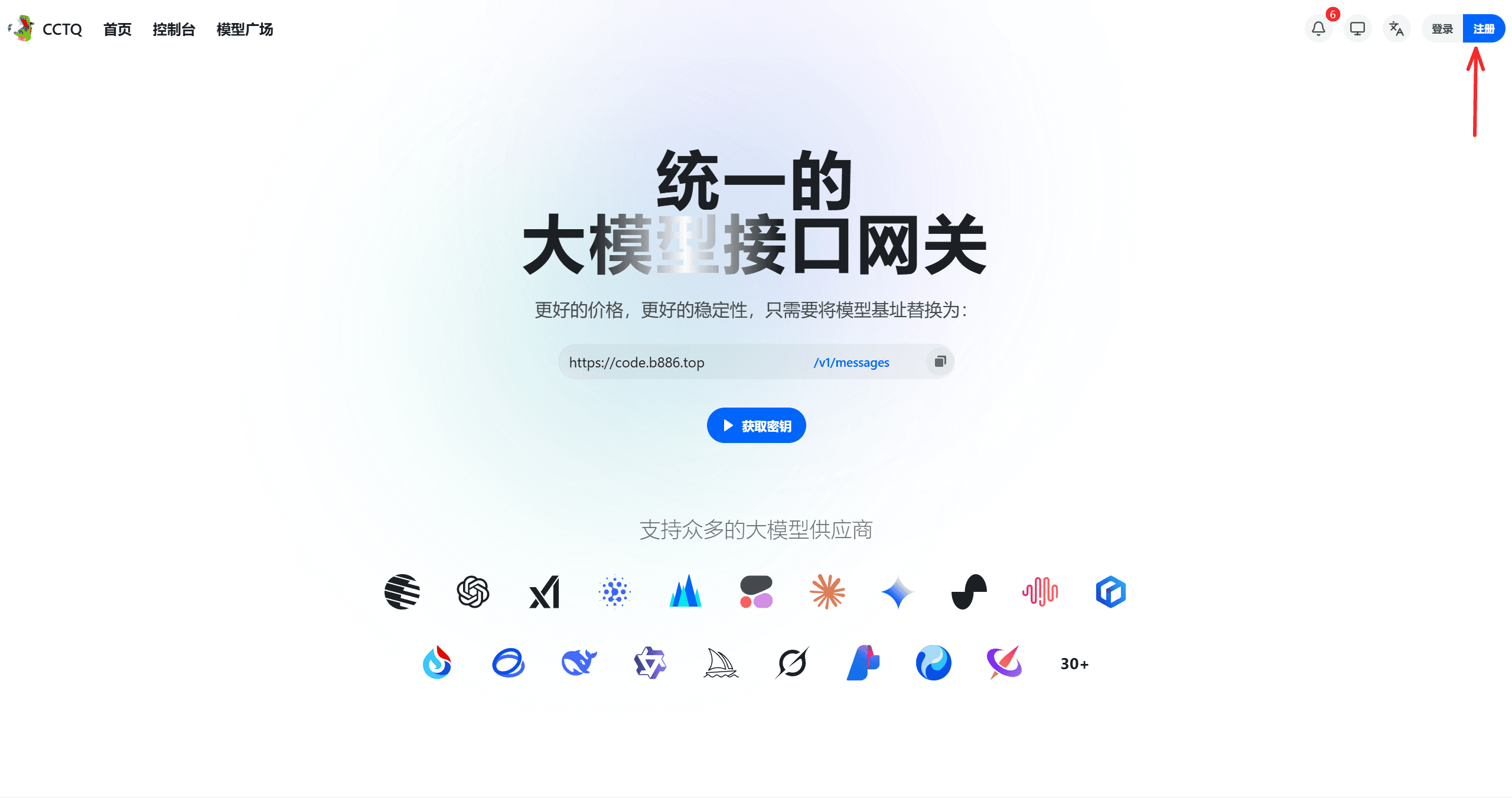
Click Register.
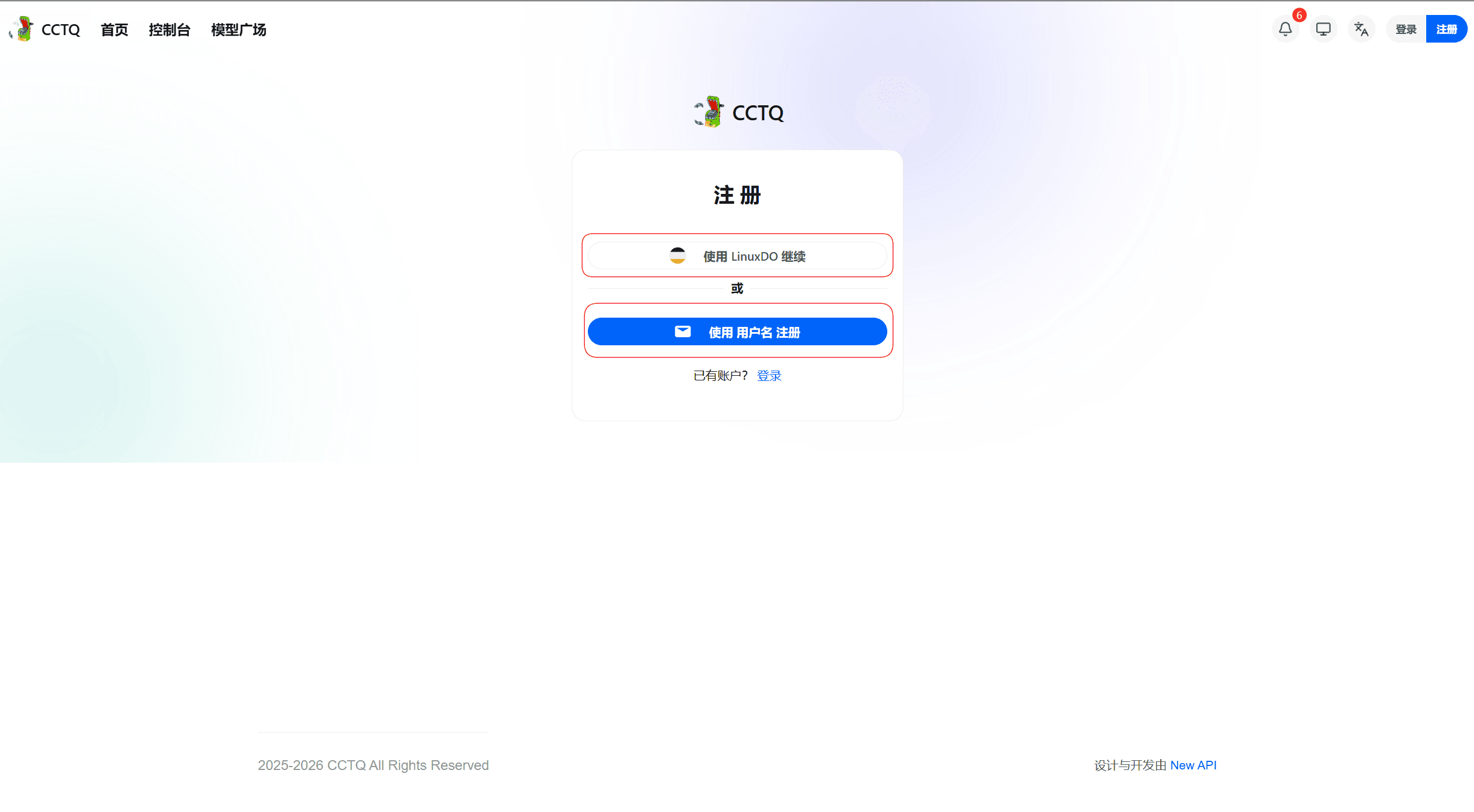
Choose your preferred sign-up method.
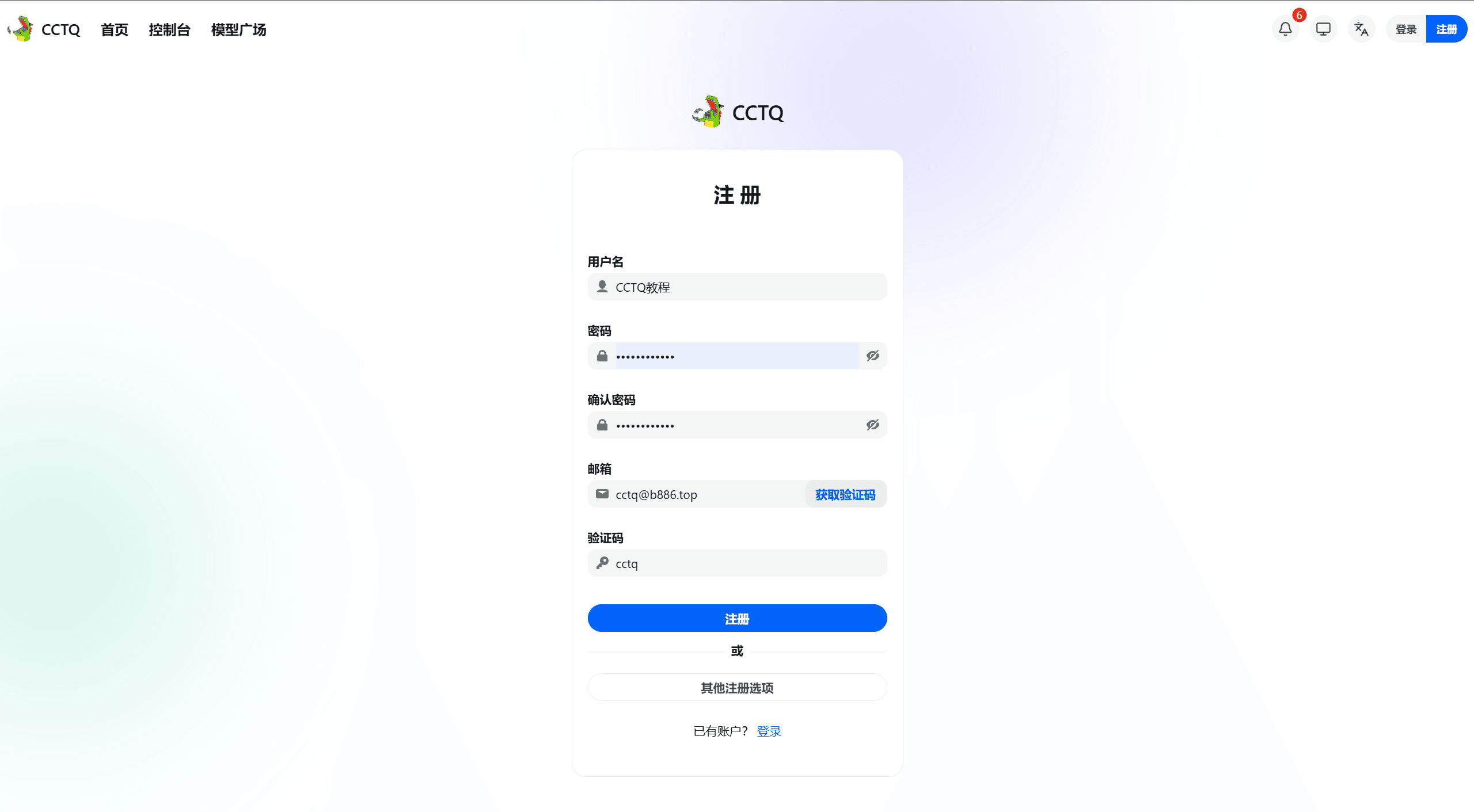
Fill in the required fields to finish registration.
API / URL and Key / Token
API / URL
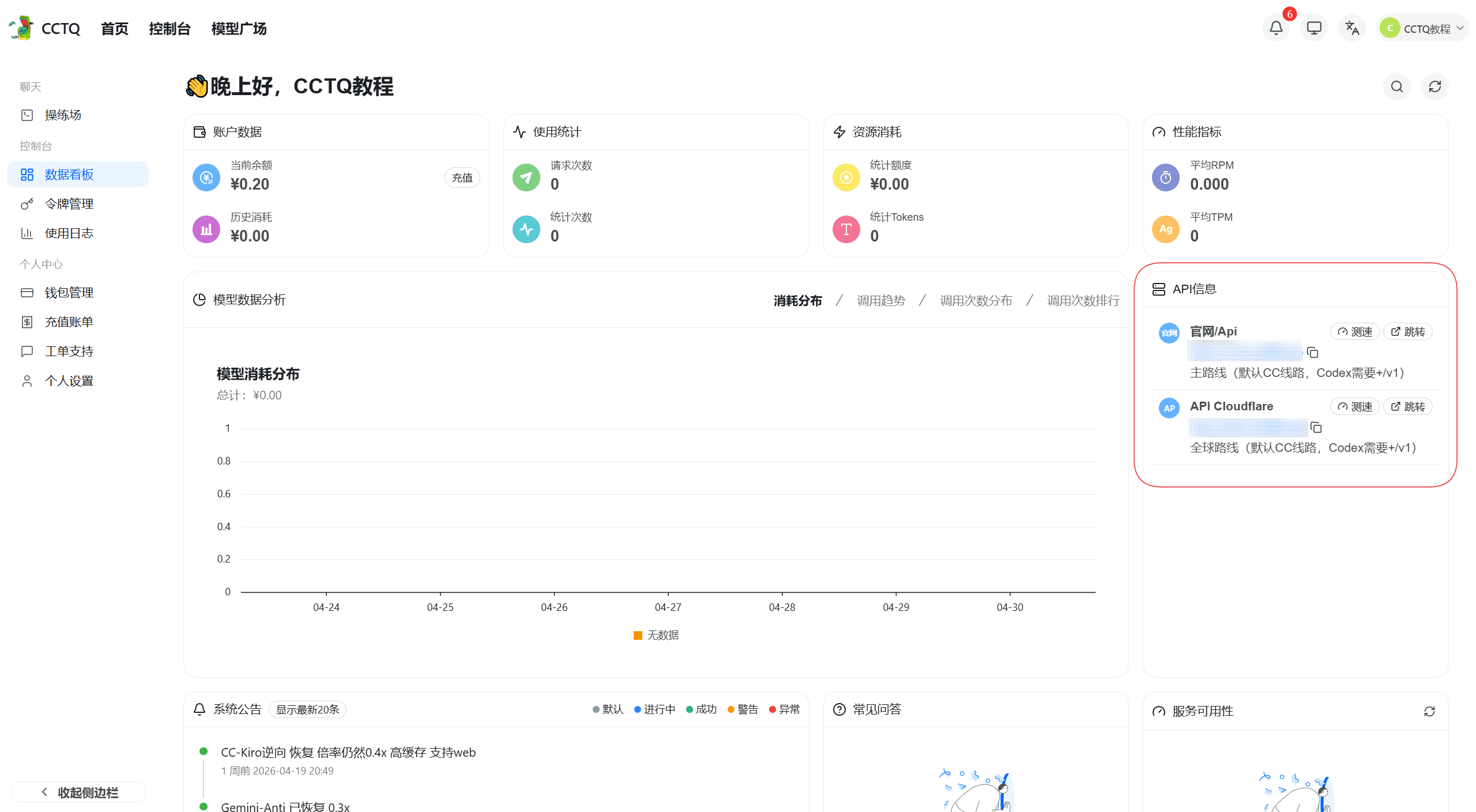
After logging in, the API Info panel on the right shows the latest request URL.
- Claude: copy as-is
- Codex: append
/v1after the URL
Key / Token
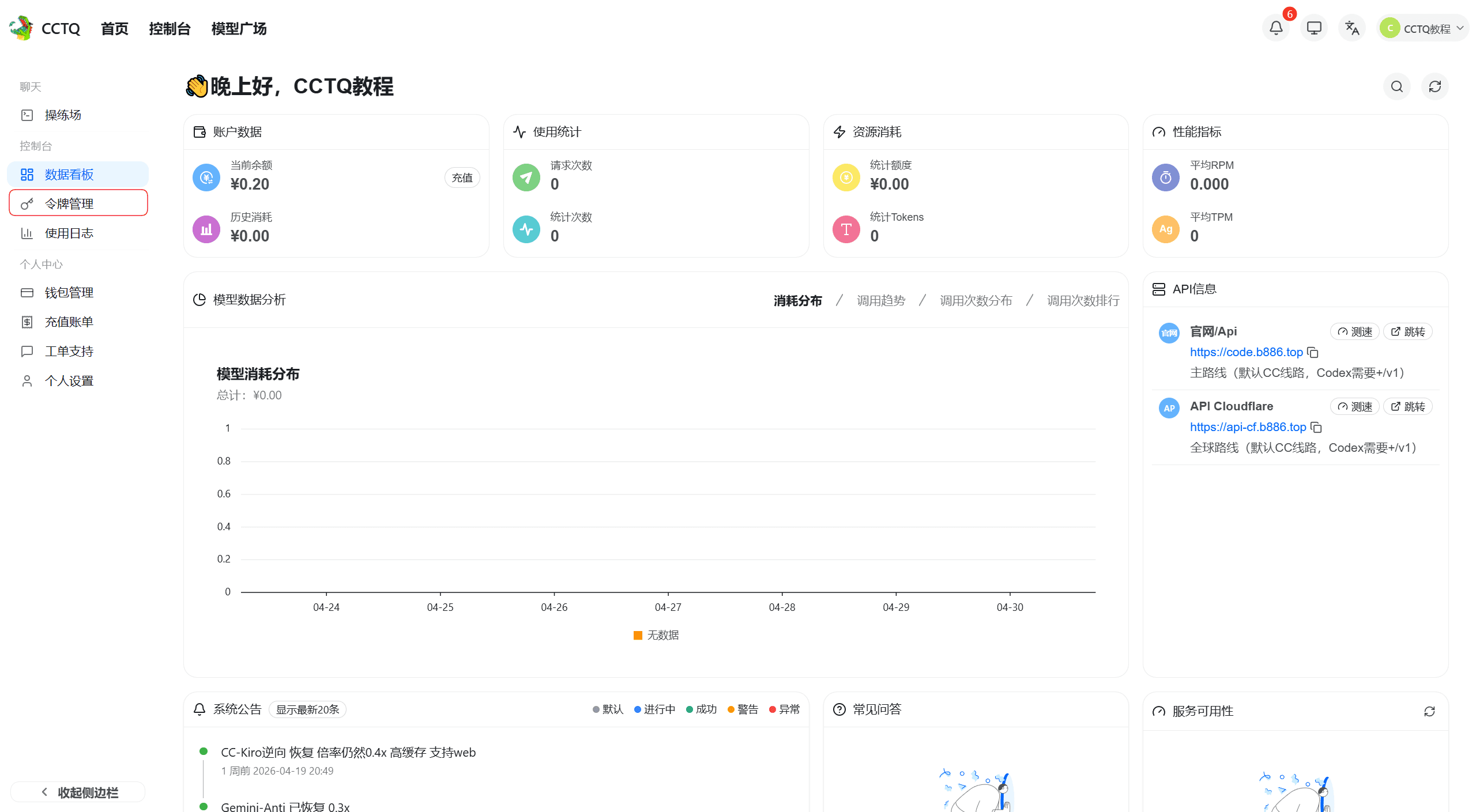
Open Token Management from the left sidebar.
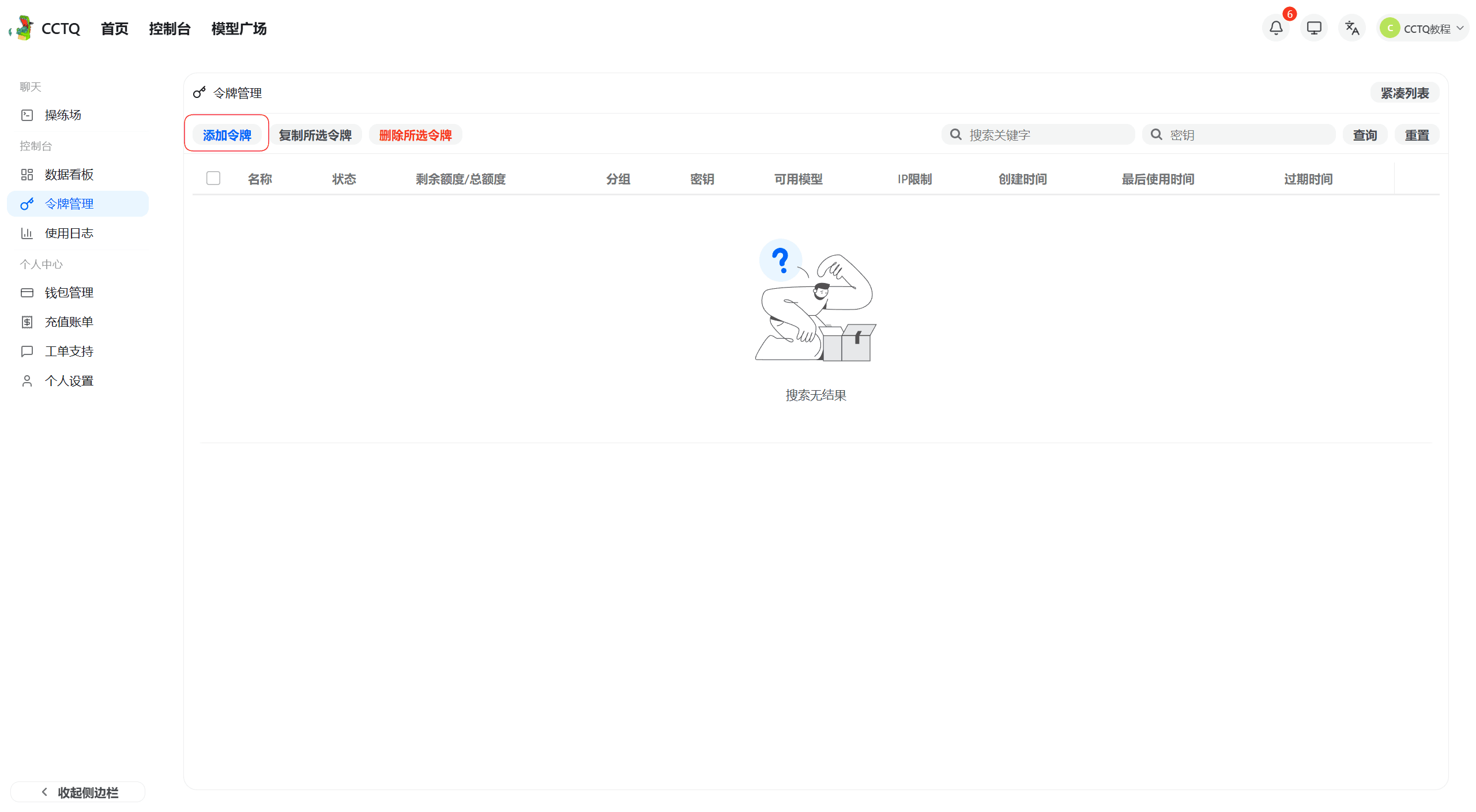
Click Add Token.
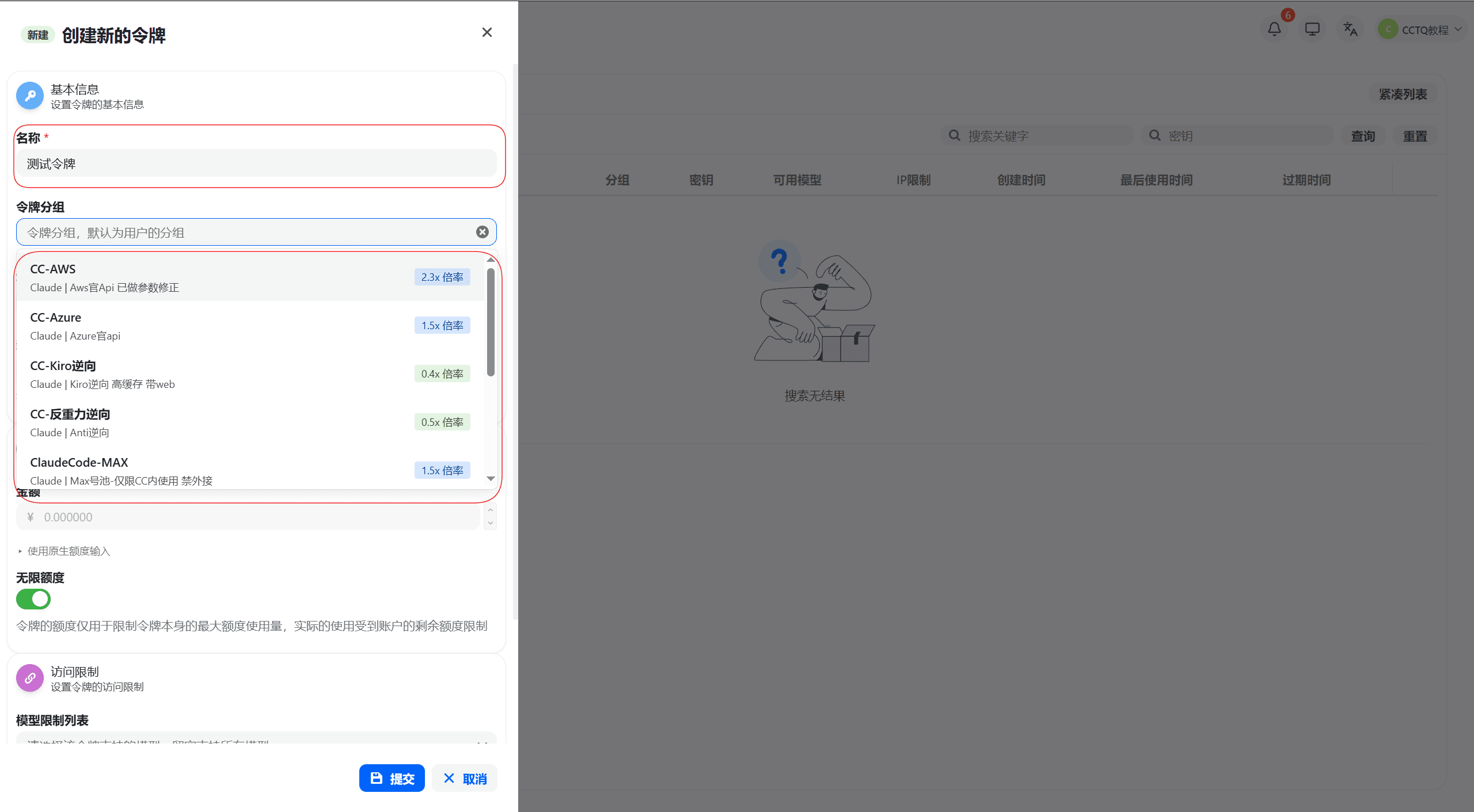
Enter a token name and select the matching group.
⚠️ About 90% of "key not working" errors come from skipping this step — always pick a group before submitting.
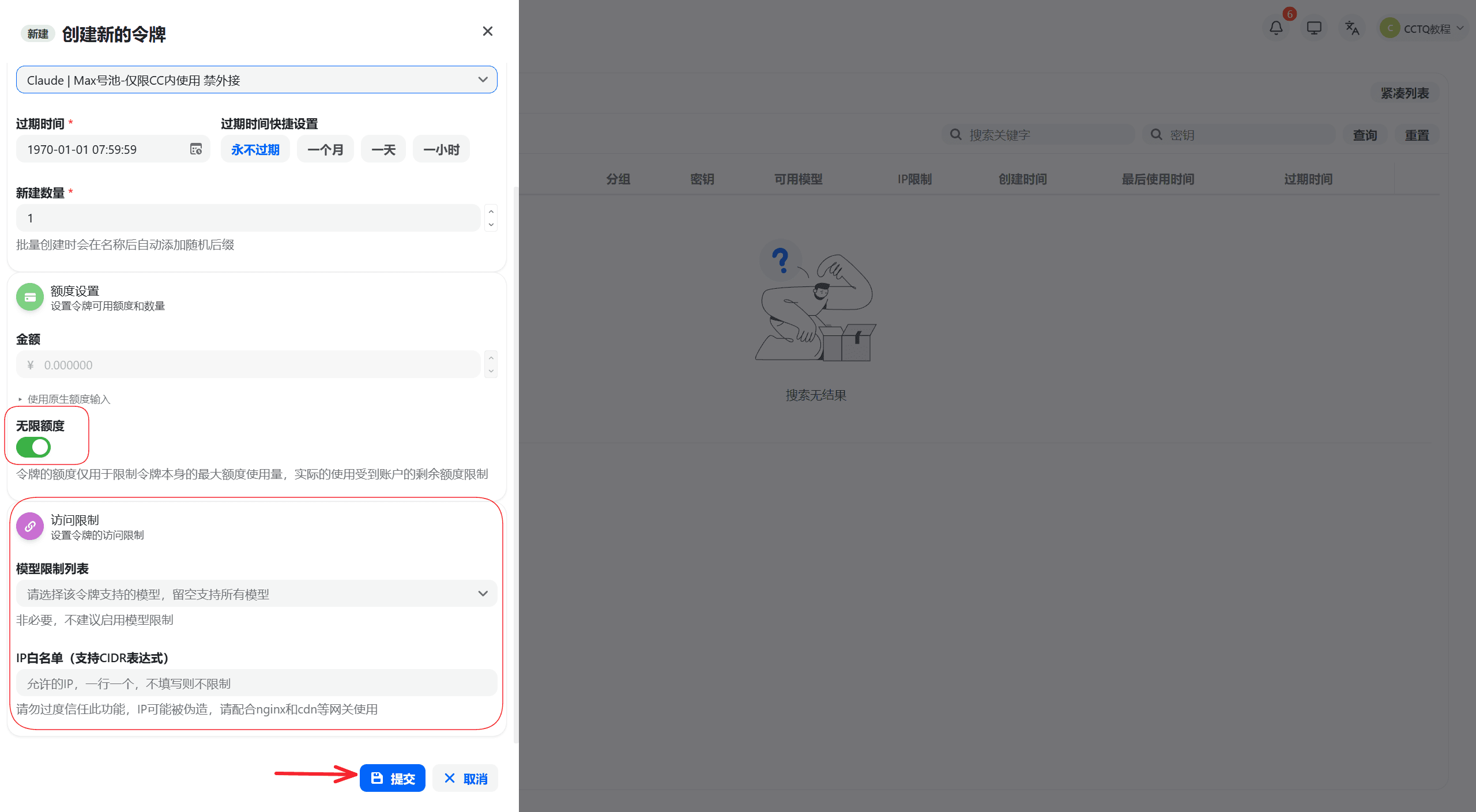
Leave the other options at their defaults (as shown above), then click Submit.
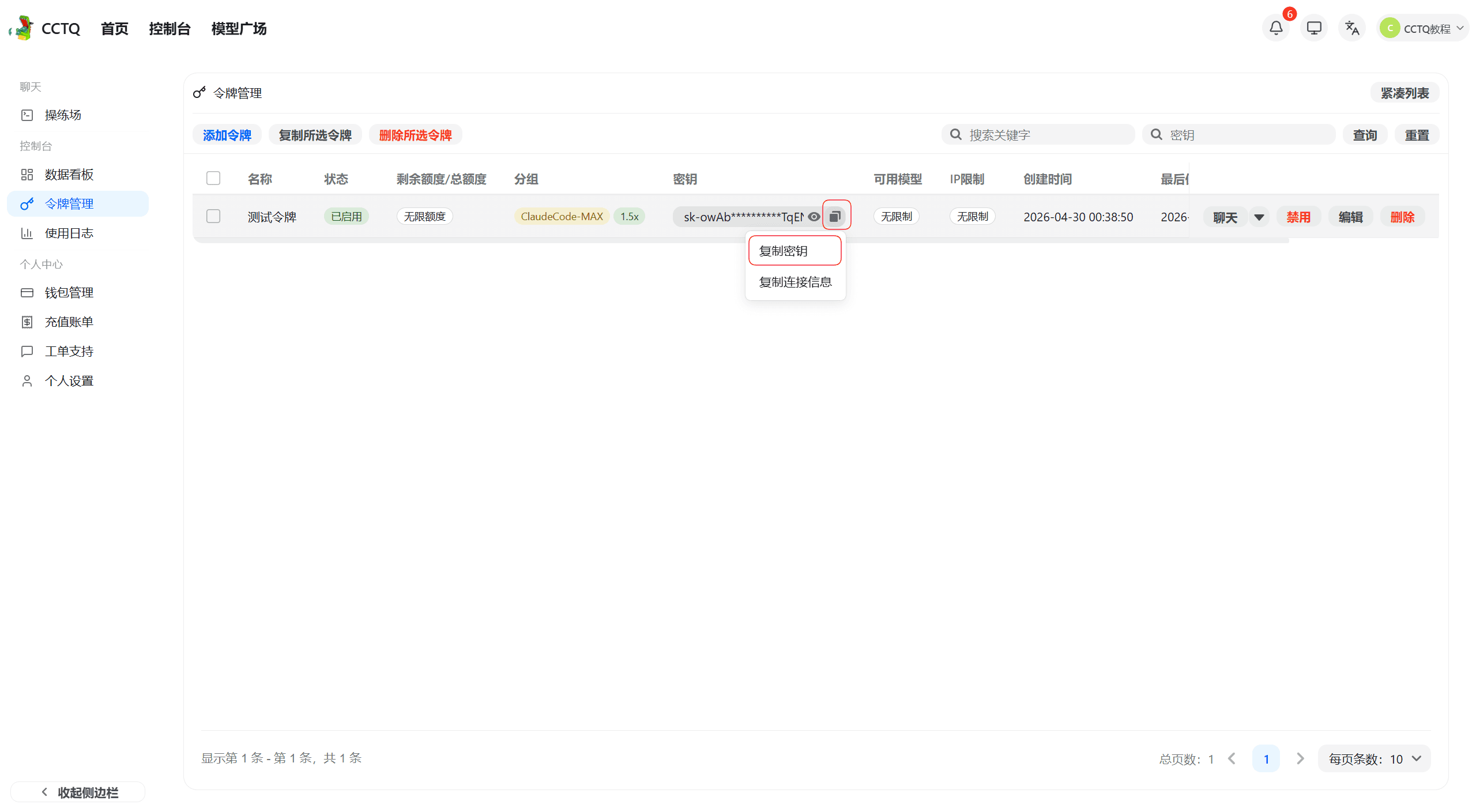
Click the copy button under the Key column to grab the token you just created.
Top-up and Renewal
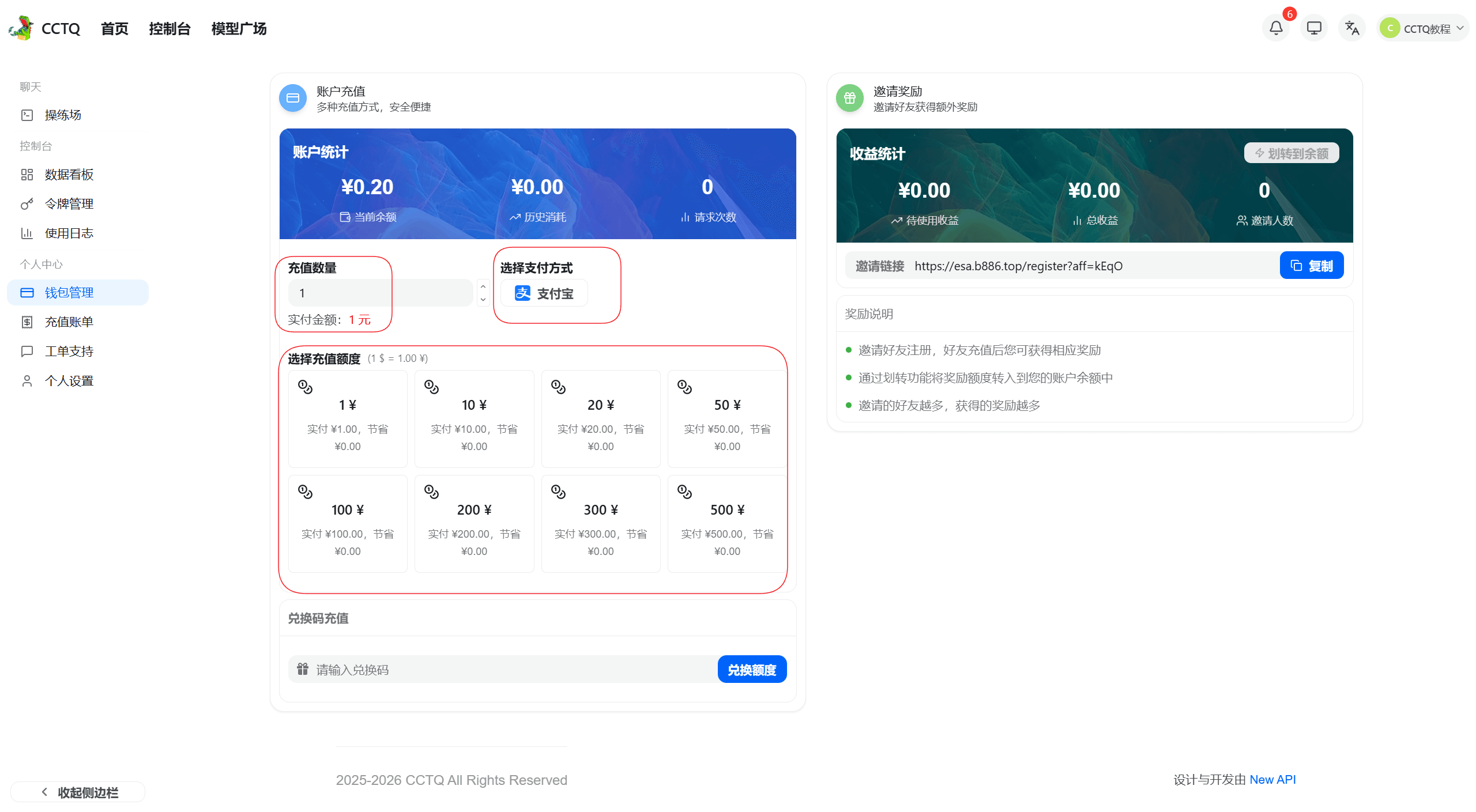
You can enter a custom amount (starting at ¥1) or pick a preset. Choose any available payment method.
To avoid payments not registering, wait for the on-screen "payment succeeded" confirmation before closing the window.
If a top-up doesn't show up in your balance, contact the site owner for help.